A $9 Flash Drive, a Borrowed PC, and Zero Leftovers: Building a Portable Toolkit That Vanishes
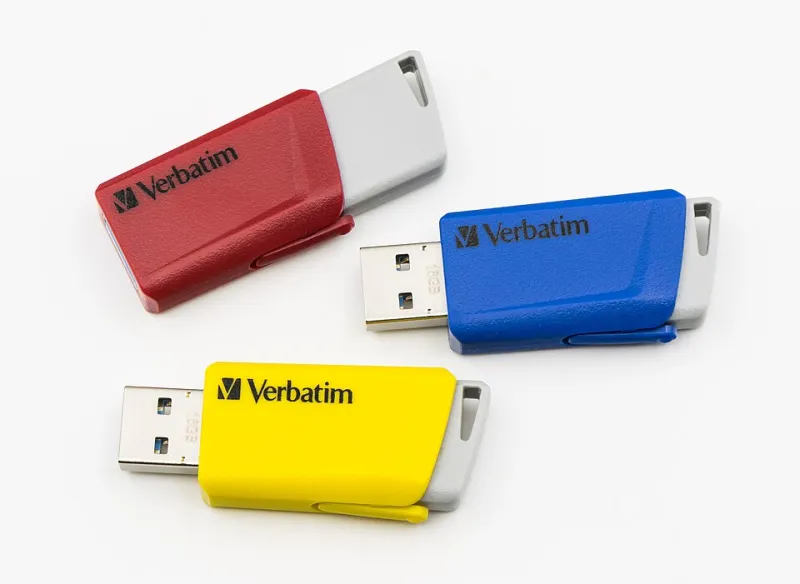
Photo: Jacek Halicki, CC BY-SA 4.0, via Wikimedia Commons
There's a specific kind of discomfort that comes from sitting down at someone else's computer — a hotel business center, a relative's laptop, a work machine you don't administer — and realizing you need to unzip a file, check a hash, or read a PDF, and you have exactly none of your tools.
My answer costs nine dollars. It's a 32 GB SanDisk drive I bought at a drugstore, and it holds my entire working toolkit. It runs without installing anything, and when I pull it out, the machine is supposed to look like I was never there.
"Supposed to" is doing real work in that sentence. Let's get into it.
What "portable" actually means (and doesn't)
A portable app is one that runs from a folder without an installer. That's it. It says nothing about whether the app writes settings to %APPDATA%, drops a recent-files list into the registry, or leaves a prefetch entry that says, in effect, "this person opened 7-Zip at 2:14 p.m."
Most apps labeled portable are portable in the sense that they launch. Very few are portable in the sense that they leave no trace. Those are different promises, and only the second one matters on a borrowed machine.
The kit
Six tools, about 340 MB total, all free:
1. File manager — Double Commander (portable ZIP build). Two-pane, tabs, built-in checksum and archive browsing. It stores its config in a folder next to the executable if you tell it to (--config-path or the portable INI). If you don't tell it, it goes to your user profile. Read the docs once, save yourself the headache.
2. Archiver — 7-Zip (the .7z "extra" package, not the installer). Extract the archive, run 7zFM.exe, done. 7-Zip is one of the few tools that behaves essentially identically portable and installed. It does write its settings to the registry under HKCU by default, which is a small but real trace — more on that below.
3. Checksum tool — HashMyFiles (NirSoft). Tiny, no install, reads a folder of files and spits out MD5/SHA-1/SHA-256 in a grid you can export to text. It writes an INI next to itself if you enable it in options. Handy when you want to prove a downloaded ISO isn't garbage before you hand it to someone.
4. PDF reader — SumatraPDF (portable build). Loads in under a second, handles 400-page scans without complaining, and can be set to keep its settings in a file beside the EXE instead of the registry. It's the only PDF reader I've found that feels faster than the file it's opening.
5. Password vault — KeePassXC (portable AppImage-equivalent ZIP for Windows). Your database lives on the stick, encrypted with a master password plus a key file. This is the piece that makes the whole kit worth carrying.
6. Bonus — VeraCrypt (portable). Lets you create an encrypted container on the stick for anything sensitive. It does require admin rights to mount volumes on Windows, which is a real limitation on a locked-down machine.
The registry question, honestly
I ran Process Monitor while launching each tool from the stick on a clean Windows 11 virtual machine, filtering for registry writes and file creation outside the drive letter. Results, in plain terms:
- 7-Zip writes a
HKCU\Software\7-Zipkey. Small, harmless, but it's there. - Double Commander writes to its own config folder when configured correctly — zero registry hits in my test. Misconfigured, it writes a full profile. This is the one most people get wrong.
- SumatraPDF respects a portable settings file and left the registry alone. Without it, it writes recent-file entries.
- HashMyFiles touches nothing outside its folder in my test, though NirSoft tools have a reputation with antivirus software that you should know about before you plug this into a corporate machine. Expect a scan. Expect a false positive. Don't argue with the security desk.
- KeePassXC writes a config file next to the EXE in portable mode. Clean.
Also, and this is the part nobody mentions: Windows itself leaves traces. Prefetch files, jump lists, the Recent folder, the fact that the USB device shows up in Device Manager history. You can reduce your footprint, but you cannot make a Windows machine forget you plugged something in. If your threat model requires true anonymity, portable apps are not the tool — a live OS is.
The performance reality check
A cheap USB 3.0 stick reads at maybe 100–150 MB/s on a good day and writes far slower. That's fine for a PDF reader and a password manager. It's miserable for opening a 400 MB scanned manual or extracting a 2 GB archive. If you plan to do real work, buy a small external SSD instead — same portability, ten times the speed, and only slightly more likely to get lost.
Also: run everything from the drive, not from a copy you drop on the desktop. The moment you copy the folder to C:\Users\Public, you've installed software without installing software, and the next person to use that machine inherits it.
The part where I'm honest about the risk
You are carrying your password database, your tools, and possibly an encrypted container on a device roughly the size of a thumb, in a world where people leave those in coffee shops constantly.
Mitigations, in order of how much they actually matter:
- Strong master password on the KeePass database, plus a separate key file. The key file should live somewhere else — cloud storage or a second device. Without it, the database is a brick to anyone who finds the stick.
- Full-disk encryption on the stick itself. BitLocker To Go works on Windows Pro and later and covers everything, including your leftover temp files. VeraCrypt containers work too but need admin rights to mount.
- Don't store credentials for anything you can't revoke in five minutes. No banking logins in a vault on a stick you carry in a jacket pocket. Use it for the stuff you'd survive losing.
- Label it. Seriously. A piece of masking tape with your email on it has recovered more lost drives than any encryption scheme in history.
The five-minute leave-no-trace test
Before you trust a "portable" app on someone else's machine, do this once at home:
- Launch the app, change one setting, close it.
- Check
%APPDATA%and%LOCALAPPDATA%for a new folder with the app's name. - Search the registry for the app's name with
reg query HKCU\Softwarein a command prompt. It takes ten seconds. - If both come back empty, it's genuinely portable. If not, either find the portable-mode setting or accept the footprint knowingly.
The whole kit fits in a jacket pocket and costs less than lunch. The discipline of testing it before you need it is the part that actually keeps you out of trouble.